
What is the LearnWorlds course hub?
The LearnWorlds Course Hub is an internal marketplace where creators and schools can connect to share and license high-quality course content, all within a secure and easy-to-use platform.
Whether you're a Hub Publisher (Course Author) looking to monetize your expertise or a Buyer aiming to quickly expand your course catalog, the Course Hub offers a powerful way to create value without starting from scratch.
In this article, you’ll learn how to access the LearnWorlds Course Hub and explore what you can do as a Hub Publisher or Buyer in the internal course Course Hub.
 Publishing courses is available for schools on the Learning Center plan and above. Licensing courses from the Course Hub is available on all plans.
What you can do on the course hub
You can use the Course Hub either as a Publisher, where you share your courses with other schools, and/or as a Buyer, where you license courses and offer them in your own school.
As a Hub Publisher, you list your existing courses and unlock new revenue streams with minimal effort:
- Earn income per enrollment, no need to recreate or modify your course.
- Reach new audiences across the LearnWorlds ecosystem with 32M+ learners.
Protect your content. Buyers cannot edit your course materials; your original structure and quality remain intact.
- Target specific clientswith private listings, visible only via your link.
Publishing on Course Hub is currently available to selected customers. It will be available soon to all customers on the Learning Center and higher plans. Please note that submitted courses will go through a review process to provide our community with high-quality content.As a Buyer, you access ready-made, professionally developed courses to enhance your school’s offerings:
- Launch in minutes with quality courses and zero production work.
- Close content gaps faster and offer more of what your audience expects
- Test demand for new topics with zero upfront investment
- Broaden your curriculum with content from verified, vetted creators.
- Reduce workload and focus on growth, not content production.
All courses on the Course Hub meet quality standards and integrate seamlessly into your LearnWorlds school. You can browse, preview, and license content with confidence, adding immediate value to your platform and accelerating your path to learner engagement and revenue.
If you encounter any issues related to course content or refund requests, whether as a Hub Publisher or Buyer, you can contact our support team for assistance. Our team will review your case and guide you through the resolution process.Course hub overview
To access the Course Hub, navigate to Courses & programs → Course Hub.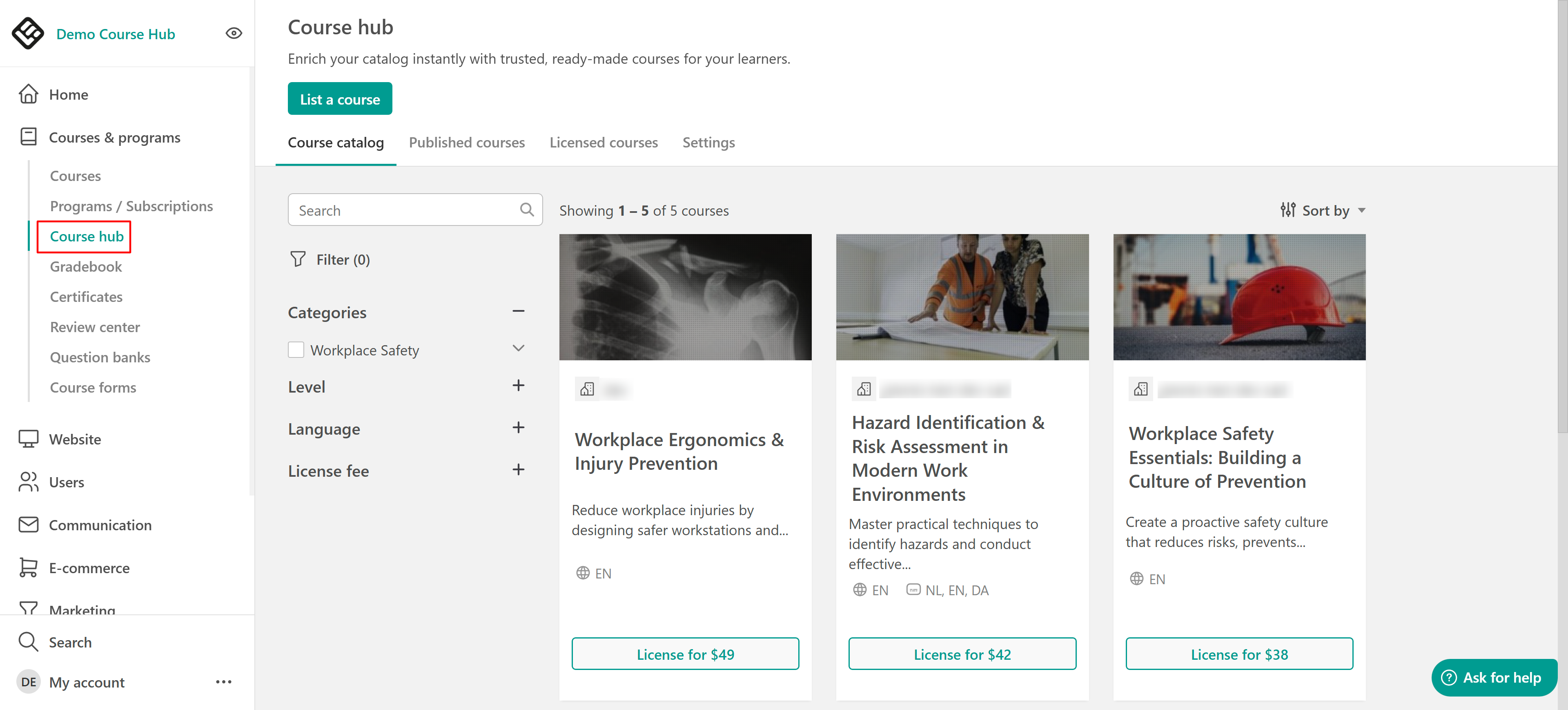
Course Hub Catalog:
Under the Course Hub catalog, you can list a course and see the courses listed in the Course Hub. To help you navigate the catalog efficiently, several sorting and filtering options are available:
Sort courses by:
- Newest or oldest
- Price
- Alphabetical order (A → Z)
Filter courses based on:
- Categories
- Course level (Beginner, Intermediate, Advanced)
- Course language
- License fee range
To license a course, click License to review its listing, course overview, content, and licensing terms. If you previously licensed a course and its agreement has expired, you can also return to its listing to renew the license and make it available for new enrollments again.
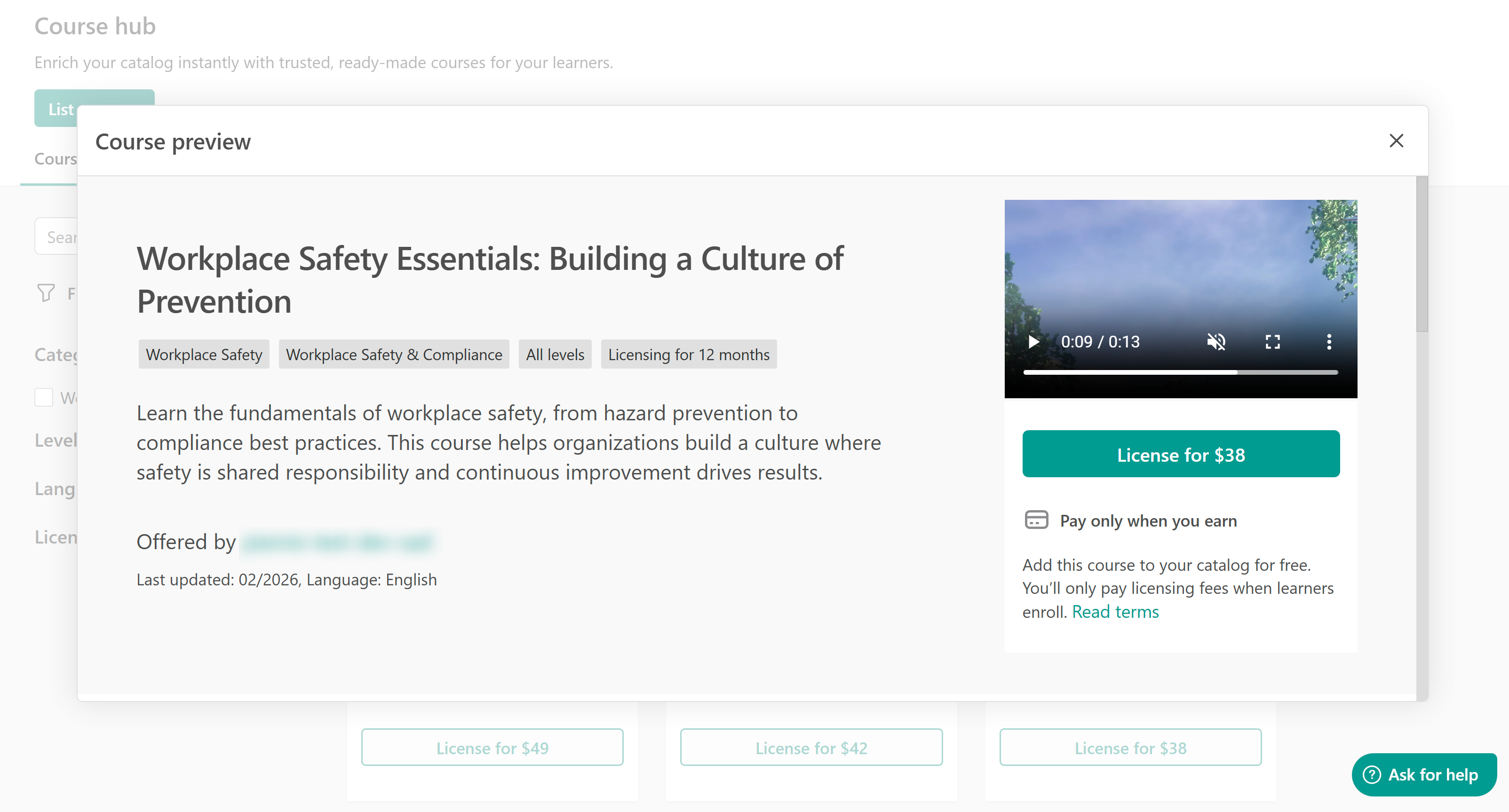
You can find out more about how to list a course in the course hub in this article.
Published courses (For Hub Publishers):
Under the Published courses tab, you can view the courses you have listed, manage your listing, unpublish, or copy and share the listing URL.
By clicking on Manage your listing in any of your listed courses, you can edit the listing properties and alter the content.
- Τhese changes will only be reflected in your listing and not in the original courses.Licensed courses (For buyers)
In this tab, you can see the courses that you are licensing, with information like:
- Title
- Licensing period
- Expiration date
- Enrolment fee
- Total enrolments
Licensing agreements approaching their expiration date are marked as Expiring, while agreements that have reached their end date are marked as Expired. Expired courses remain visible in the Licensed courses tab, so you can review their licensing information and renew eligible courses. The detailed requirements confirm that expired agreements remain listed in Course Hub with an Expired licensing status.
When a licensing agreement expires, you can no longer create new enrollments or use the course in ways that could result in new enrollments. Existing enrolled learners, however, retain access to the course Find more information about payments and billing cycles here.
Course Hub settings:
Under Course Hub Settings, you can:
- Add your school’s billing details and payment method to license courses. Your saved card will be used for all licensing agreements, which are billed monthly on separate cycles.
- If you are a publisher, you can connect your Stripe account to receive payments for your licensed courses.
- Edit your Course Hub profile and branding (school name, logo, about your school, and social links).
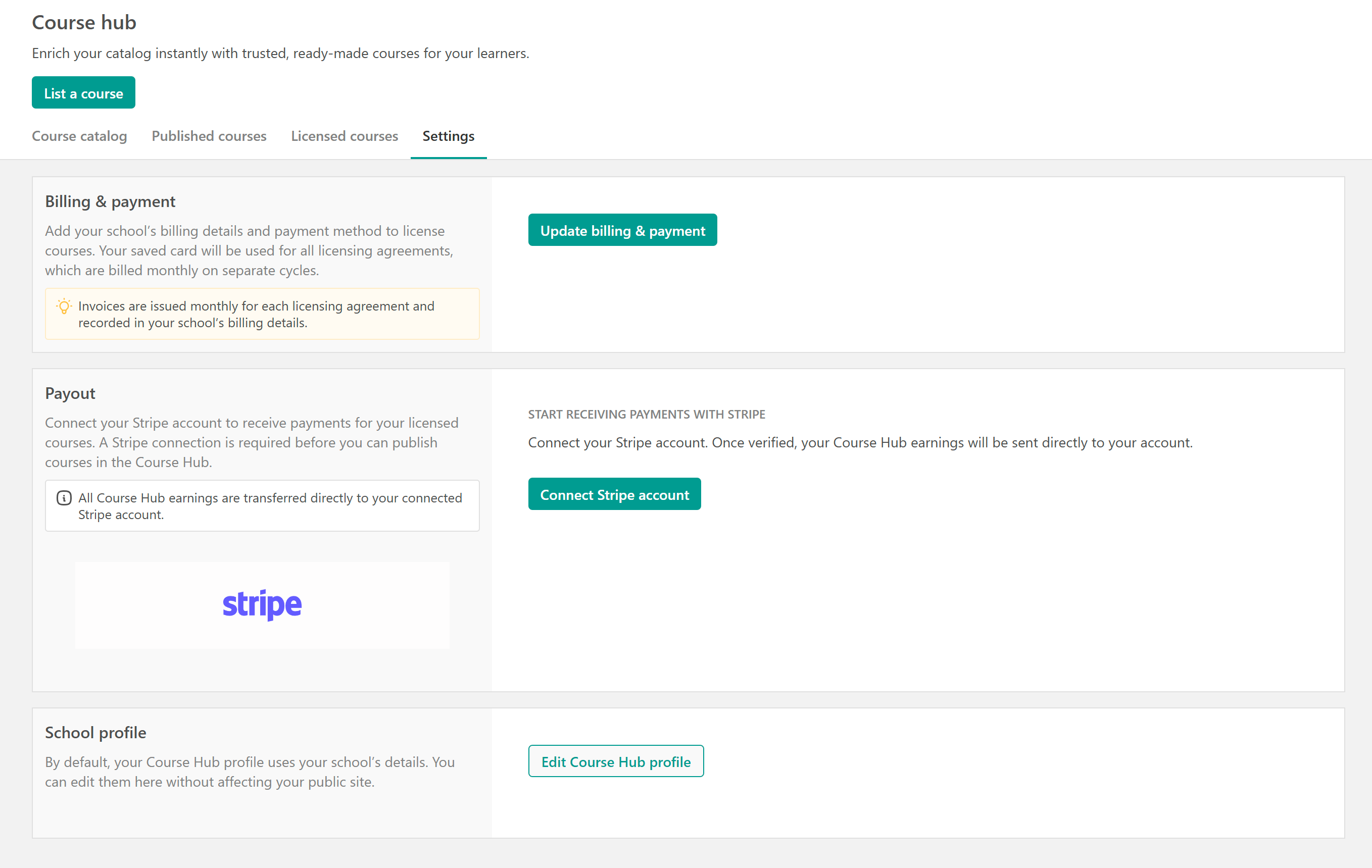
If you're licensing courses as a Buyer, you need to add a payment method. If you're selling courses as a Publisher, you need to connect a Stripe account to receive payouts. If you’re both a Buyer and a Publisher, you can set up both from this section.
We recommend creating a new Stripe account specifically for the Course Hub, so you can receive payments for your licensed courses there.