


Availability
Starter
Pro Trainer
Learning Center
High Volume & Corporate
We’re rolling out a major upgrade! If you started your trial on or after June 2, 2025, you’ll notice some exciting new features as part of our latest release. Some articles already reflect the new experience, while others are being updated.
Setting up taxes for your online products doesn’t have to be complicated. In LearnWorlds, you can now easily apply a flat rate tax to your product sales using the built-in tax configuration options.
In this article, you’ll learn how to enable and configure the flat rate tax option to match your pricing and tax requirements.
To activate the Flat rate tax option:
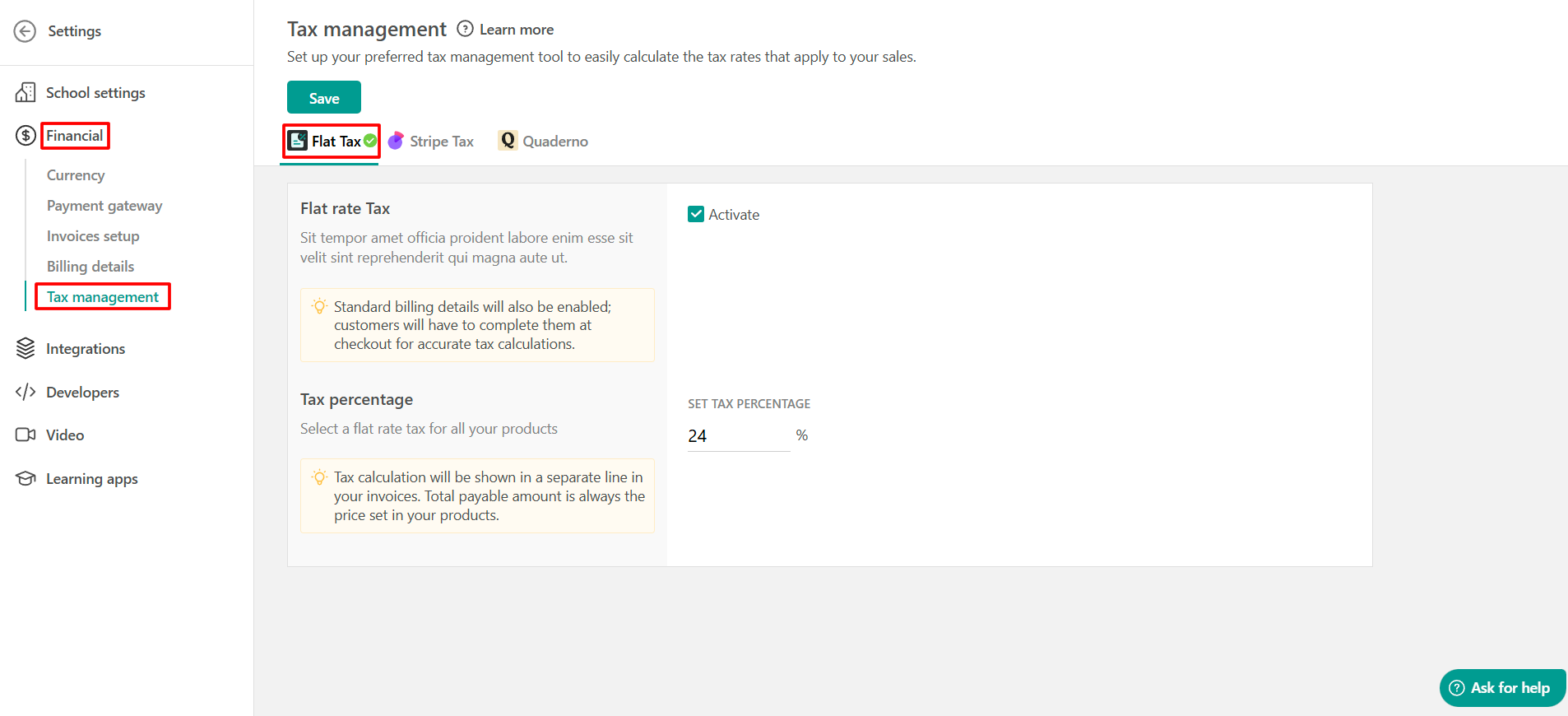
1. Νavigate to Settings → Financial → Tax management and click on Activate.
When you activate the flat rate tax option, the standard billing details will also be enabled; customers will have to complete them at checkout for accurate tax calculations.
2. Once the tax rate is activated, you can set up the tax percentage.
 Flat Rate Tax is always inclusive. This means that the tax is already included in the product price and is not added on top of it at checkout.