
Site Flavors allow administrators to create alternative versions of their school’s website in just a few clicks. This feature is ideal for testing changes, redesigning pages, or building a new version of your site without affecting the current live design.
In this article, you'll learn how to craft your site's unique flavors and effectively manage them to achieve optimal results.
 During the trial period, you can create up to three Site Flavors. On the Starter and Pro Trainer plans, you can have two Site Flavors, while on the Learning Center plan or higher, you can have unlimited Site Flavors.
What is a site flavor
A Site Flavor is a website template with a predefined set of style and layout options that serves as the starting point for your LearnWorlds website.
When creating your LearnWorlds trial account, you can choose from 50+ professionally designed, mobile-responsive templates tailored to different industries (e.g., Coaching, Fitness, NGOs, Education).
All templates are fully customizable. Adjust layouts, colors, fonts, and content using the Theme Explorer and Site Builder.
- You can have multiple site designs at the same time on the Site Flavors page, but only one can be activated, the live version that visitors see, while you continue working on the others in draft mode.
- Each Site Flavor you create has its own design and customizations, and changes made to one do not affect the others.
Create a site flavor
1. Navigate to Website → Design 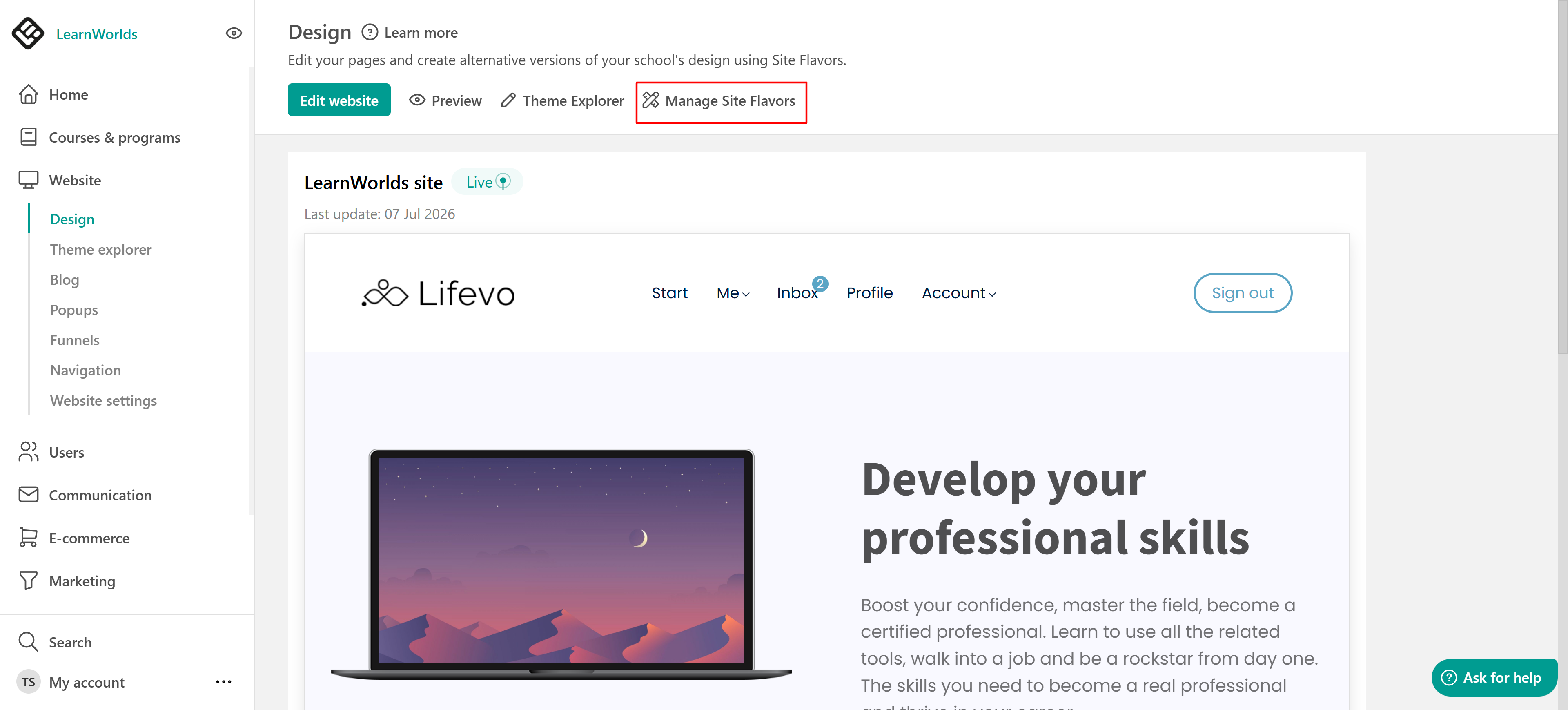
2. Click Manage Site Flavors, and Create site flavor. 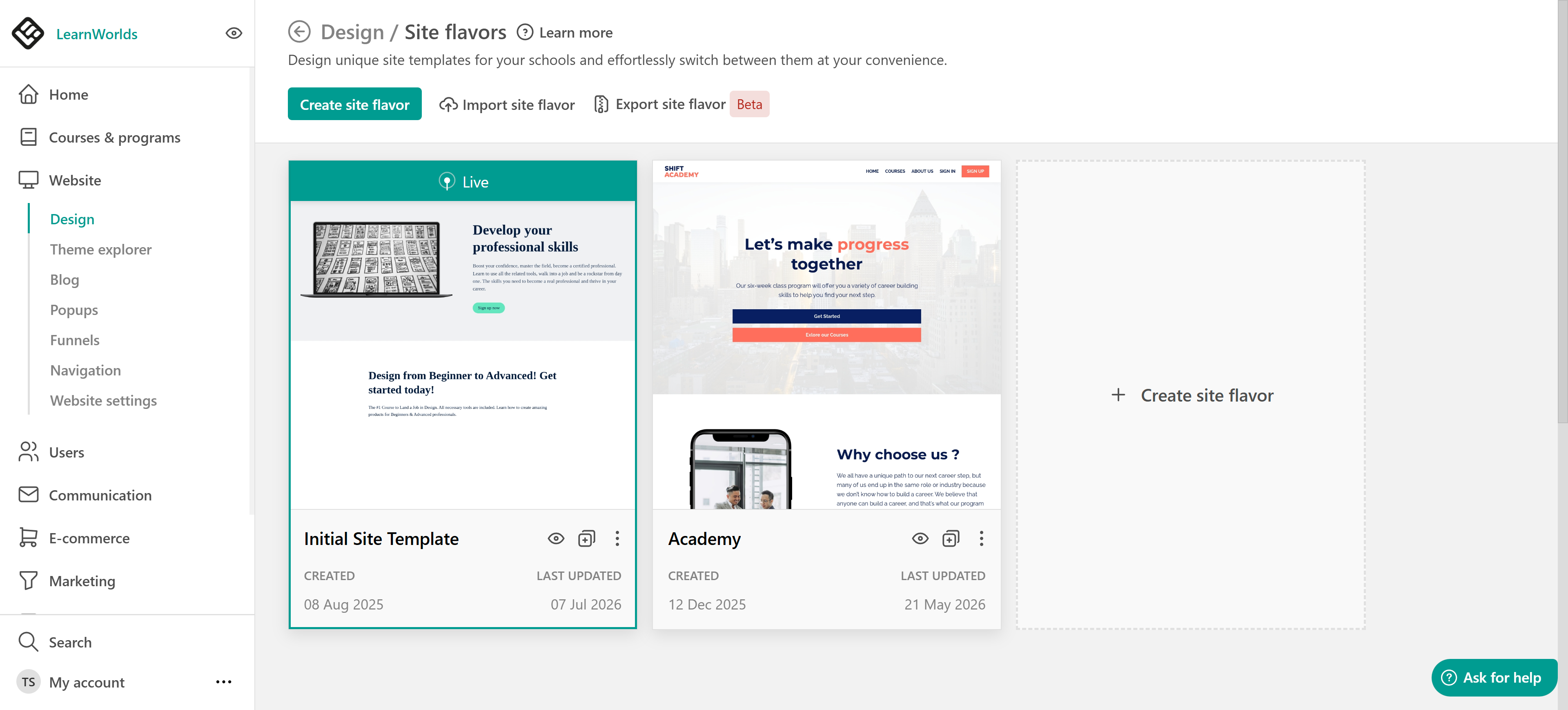
3. Select a template.
4. Add the template's name and click Create site flavor.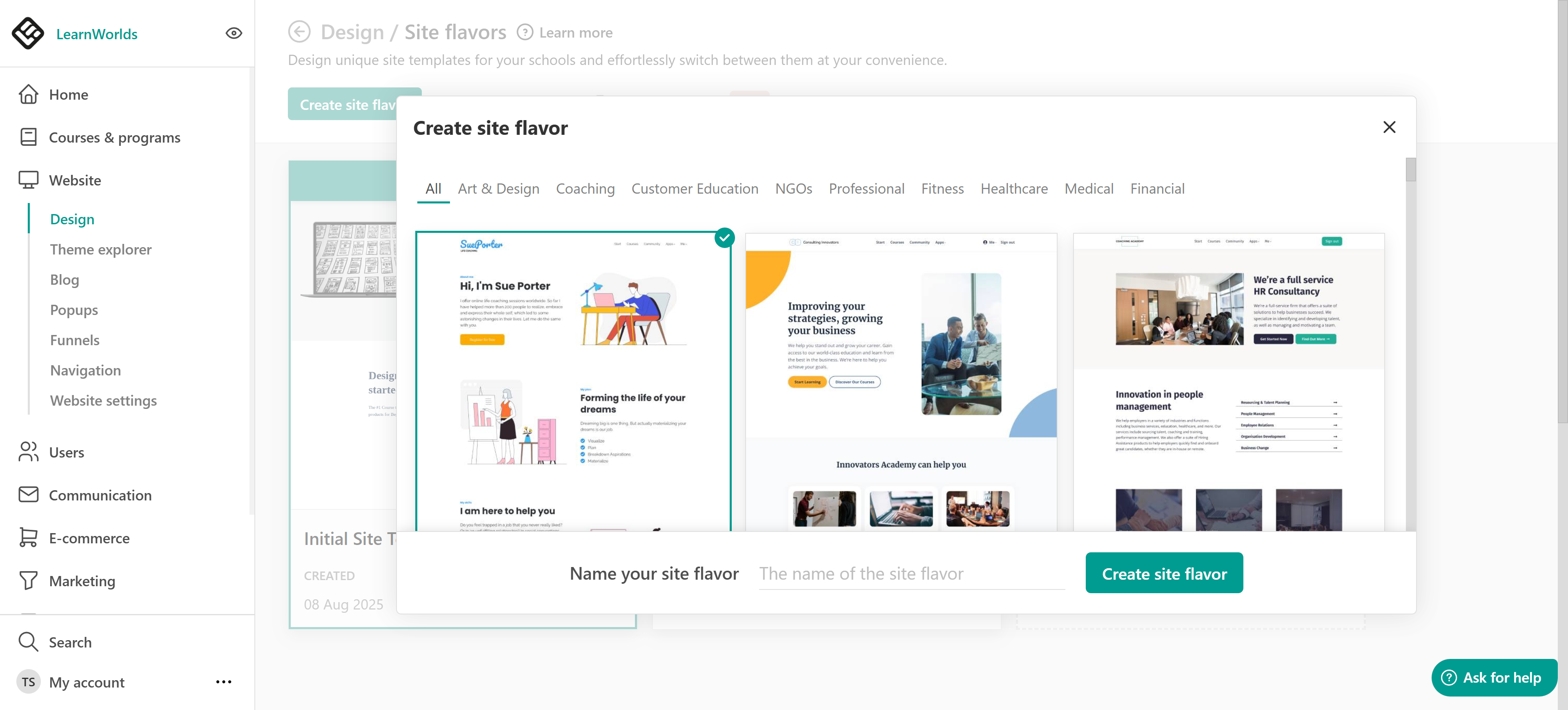
If you already have a Site Flavor, you can clone it to create an identical version, including all pages and product descriptions. Each Site Flavor remains independent - Site Flavors are not synced, so any changes made to one will not affect the others.Edit a site flavor
As soon as you create your Site Flavor, click Edit in Site Builder to start customizing. Use the Theme Explorer to adjust the design and modify your pages.
Use the More Options icon for further actions or shortcuts. You can preview, clone, rename, export, or delete the Site Flavor. 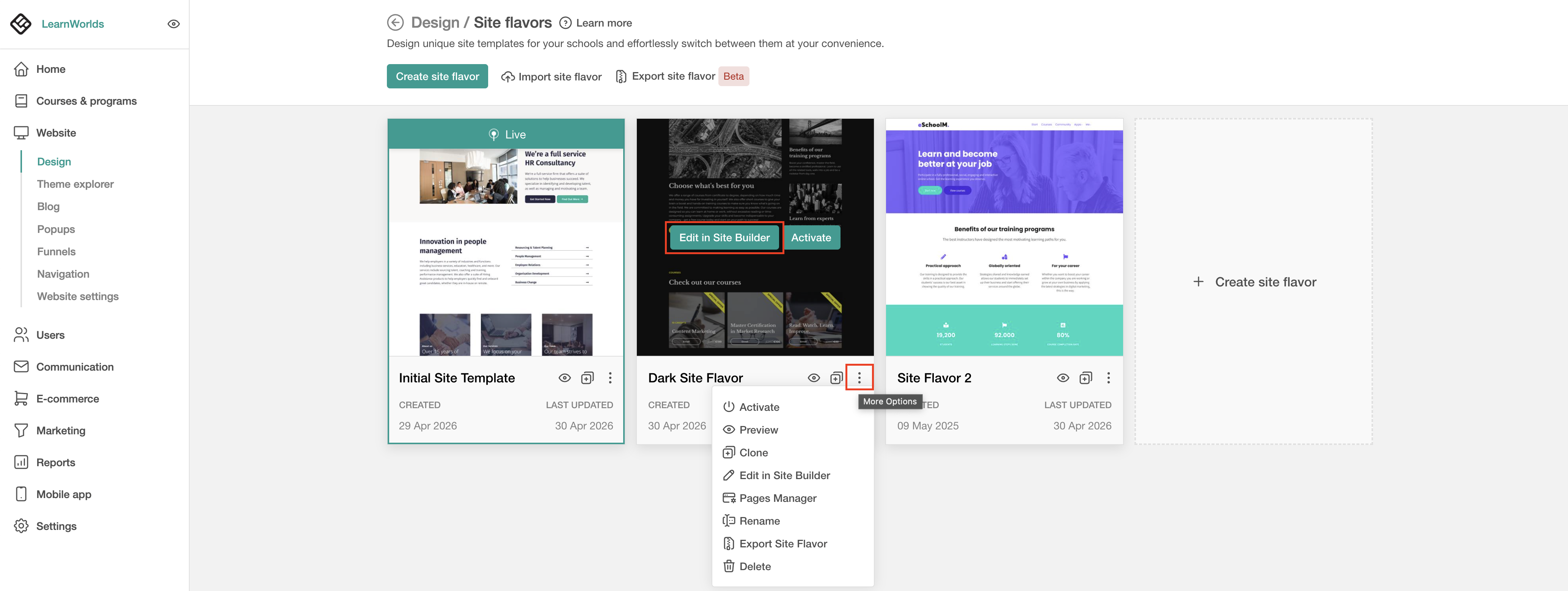
Activate a site flavor
If you only have one Site Flavor, it is activated by default as your live site, and it's visible to your audience. If you create a new Site Flavor, once it's ready, you can activate it as your live site.

If you’ve just created your school and want to keep it hidden until launch, check how here.