Site Flavors allow administrators to create alternative versions of their school’s website in just a few clicks.
If you have multiple schools and want to use the same Site Flavor across them, you can export it and import it into the desired school. Each Site Flavor remains independent. Since they are not synced, you can further customize them, and changes made to one will not affect the others.
 Exporting Site Flavors is available on all plans, while importing Site Flavors is available on the Pro Trainer plan or higher.
In this article, we will take you through the step-by-step process of exporting a site template from your LearnWorlds school or adding an already exported Site flavor to your LearnWorlds academy.
If you want to create a copy of a Site Flavor within the same school, clone it to create an identical version, including all pages and product descriptions. Each Site Flavor remains independent - Site Flavors are not synced, so any changes made to one will not affect the others.Export a site flavor
1. Navigate to Site Builder → Site Flavors
2. Click on Export Site Flavor, or use the More Options icon under the preferred Site Flavor and click Export Site Flavor.
3. Configure the export settings and click Export.
4. After the process is completed, a confirmation pop-up will appear indicating that the .zip file has been downloaded.
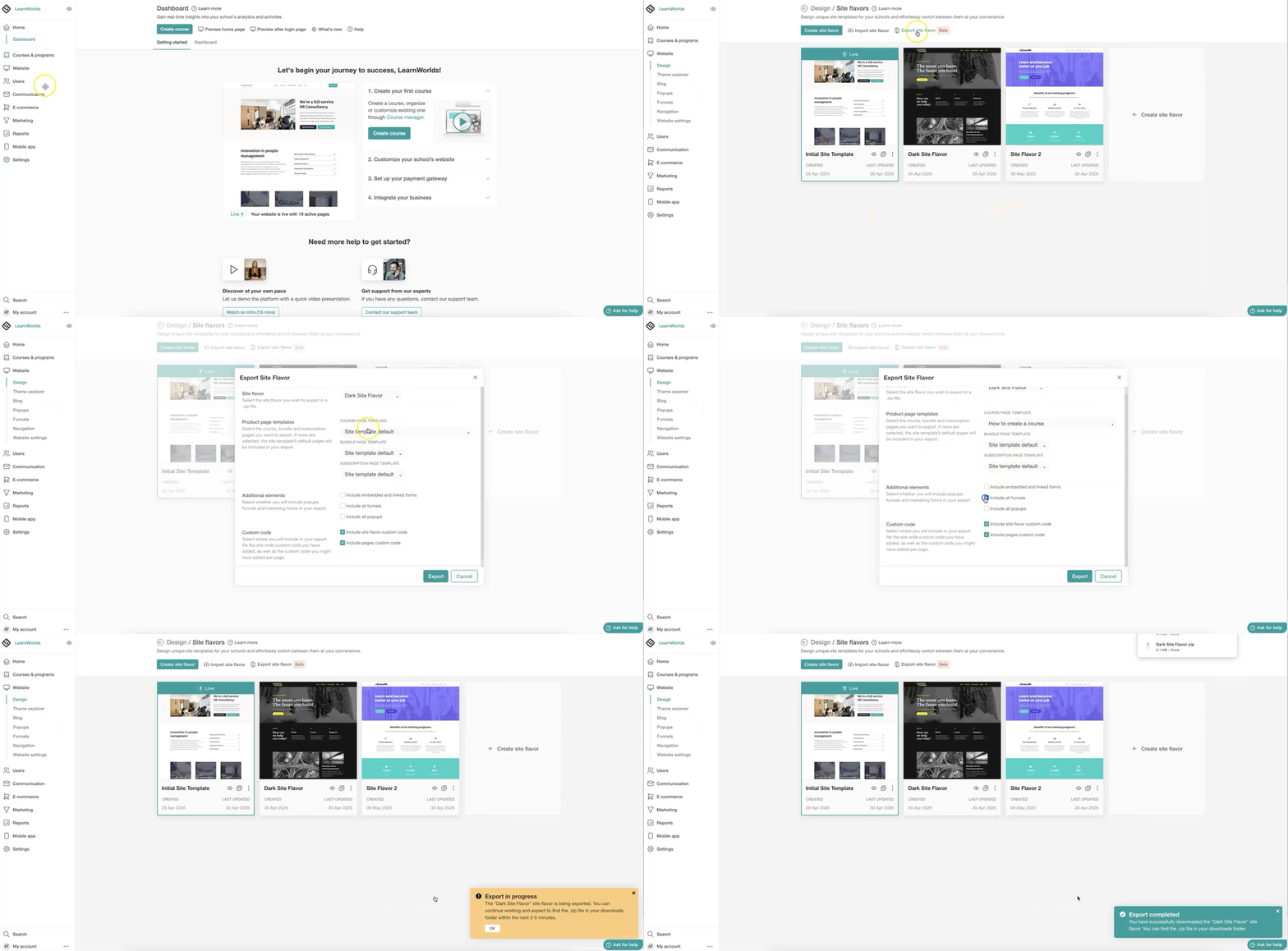
- Site template default refers to the course, bundle, or subscription layout page used by the site template. However, you can choose a different course, bundle, or subscription page to include in the exported file.
- The Include embedded and linked forms option includes any marketing forms that are embedded in pages or linked (e.g., through buttons or other widgets) within the exported site template.
- The Include all funnels & Include all popups option includes all funnels and forms regardless of whether they are connected to the selected Site Flavor. If the exported funnels or popups contain forms, these forms will be downloaded as well.
- When a file is large, it will be downloaded asynchronously, and it may take a few minutes for the process to complete.
Import a site flavor
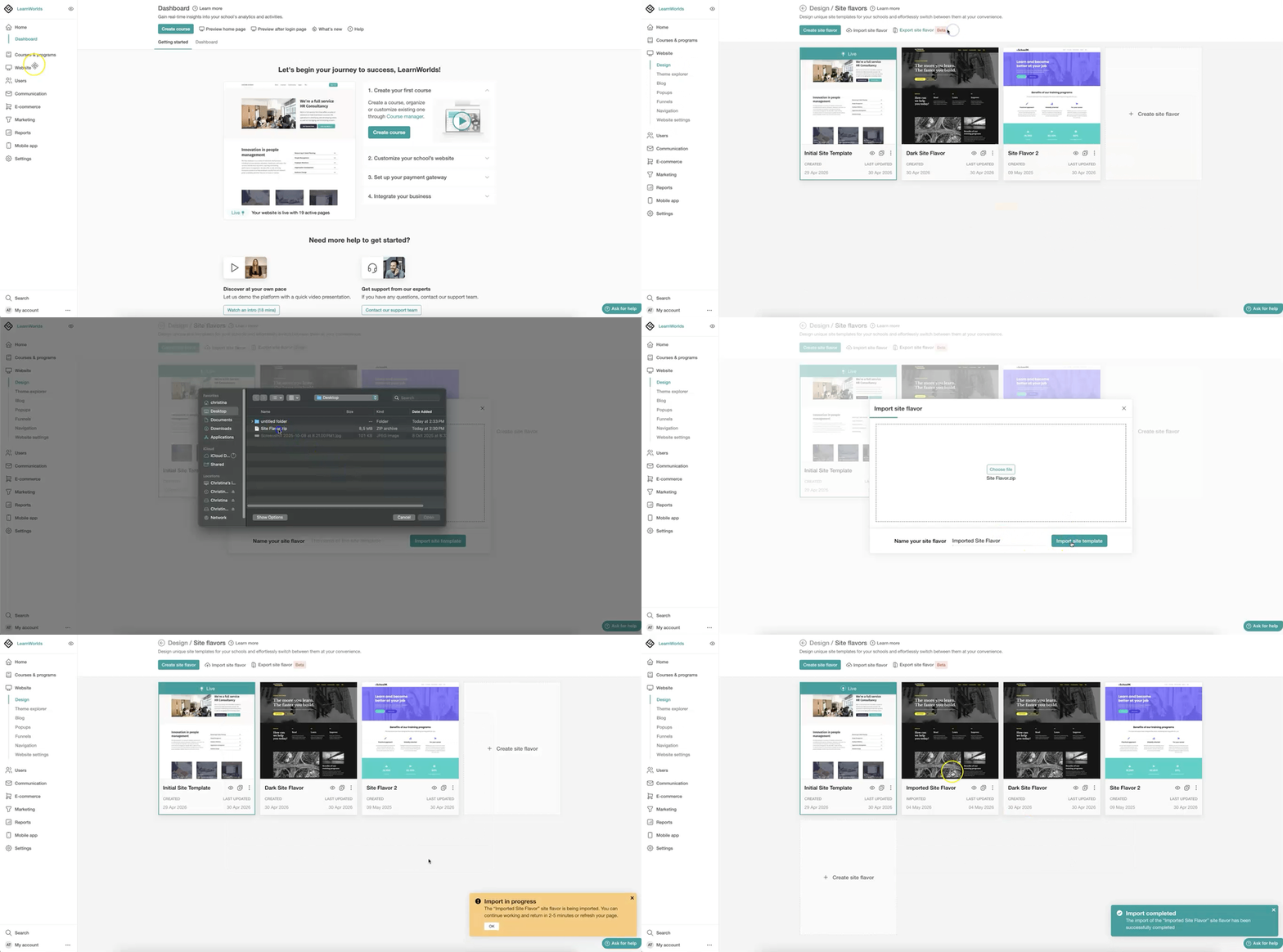
1. Navigate to Site Builder → Site Flavors
2. Click on Import Site Flavor, or use the More Options icon under the preferred Site Flavor and click Import Site Flavor.
3. Select the .zip file and click Import Site Flavor.
4. After the process is completed, a confirmation pop-up will appear indicating that the .zip file has been imported.
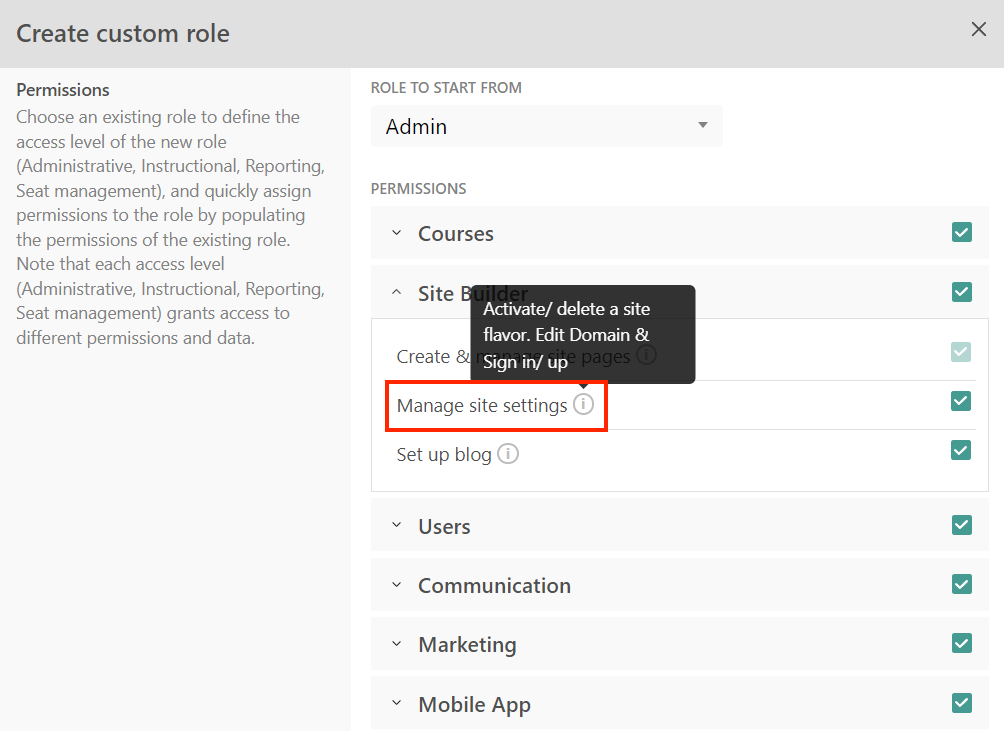
The Import and Export functionality is available only to Admin user roles with the Manage site settings permission.