
If you wish to reinstate a suspended user account, allowing them to log in back on to the platform you can follow the steps in this article.
1. Click on Users → All users.
2. Change the users filter to Suspended from the drop-down list.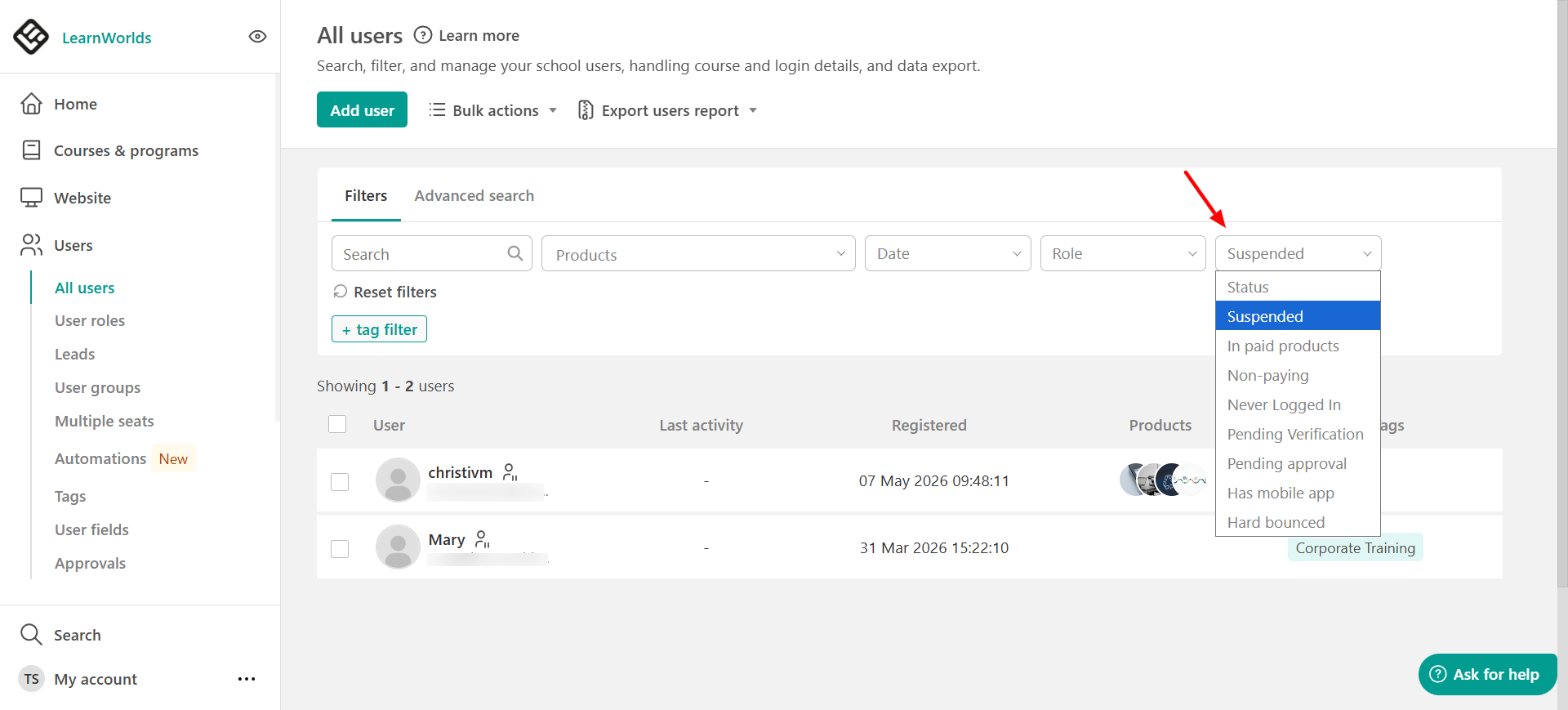
3. Choose the user(s) you would like to unsuspend and click on Unsuspend Account.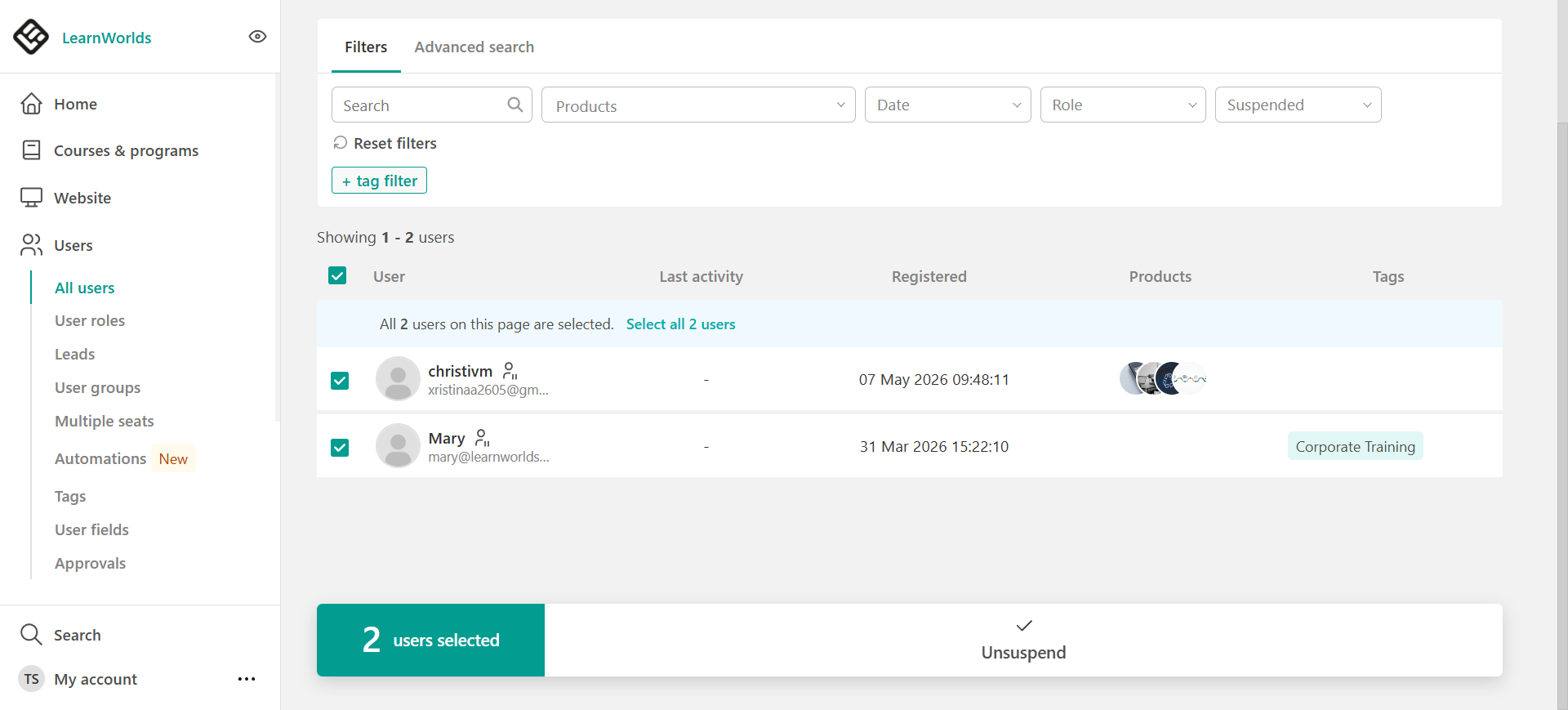
4. A confirmation window will appear. Click on Unsuspend to make the user active again.