
The AI Context page allows you to define how AI-generated content behaves across your school. It combines automatically populated information with manual inputs and custom instructions, giving you full control over your AI outputs.
Where this information comes from
When you first create your school, you’re asked to complete a form. Based on your answers, some fields in the AI Context page are automatically populated:
- School goal
- Language
- Audience
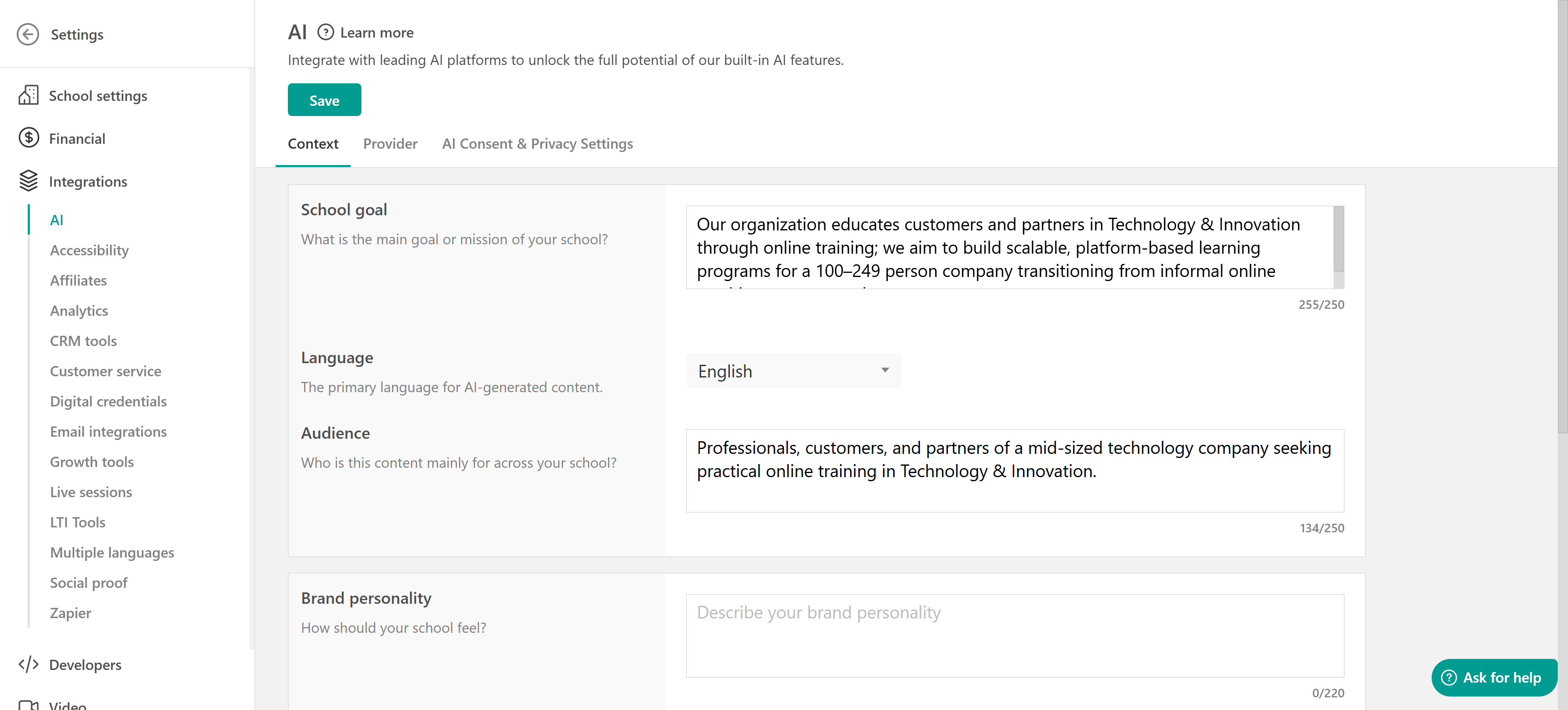
These fields give the AI a solid understanding of your school, helping it generate more relevant and on-brand content. You can update them at any time.
To further refine how your AI content looks and feels, you’ll need to manually define the following:
Brand personality: Describe how your school should feel (e.g., professional, friendly, innovative). This helps shape the tone and style of AI-generated content.
Tone of voice: Select how the AI should sound when writing content (e.g., motivational, formal, conversational).
Image style: Choose the visual style the AI should follow when generating images (e.g., photographic, illustrative).
These settings ensure your content stays consistent with your brand identity.
Custom AI instructions
You can go a step further by adding custom instructions, specific rules the AI should always follow when generating content.
You can:
- Define writing rules (e.g., terminology, phrasing)
- Enforce brand guidelines
- Add formatting or naming conventions
For example, you can instruct the AI to replace any mention of “company” with “LearnWorlds (LW)”.
When adding a custom instruction, you can choose where it applies:
All areas: The instruction will be applied across the entire platform.
Specific areas: You can limit the instruction to selected tools, such as:
- Site Builder
- eBook Builder
- Exam Builder
- Form Builder
- Course Outline
- Image Creation
This gives you flexibility to tailor AI behavior depending on the context.
You can create and manage multiple custom instructions:
- Add new instructions
- Edit existing ones
- Delete instructions you no longer need
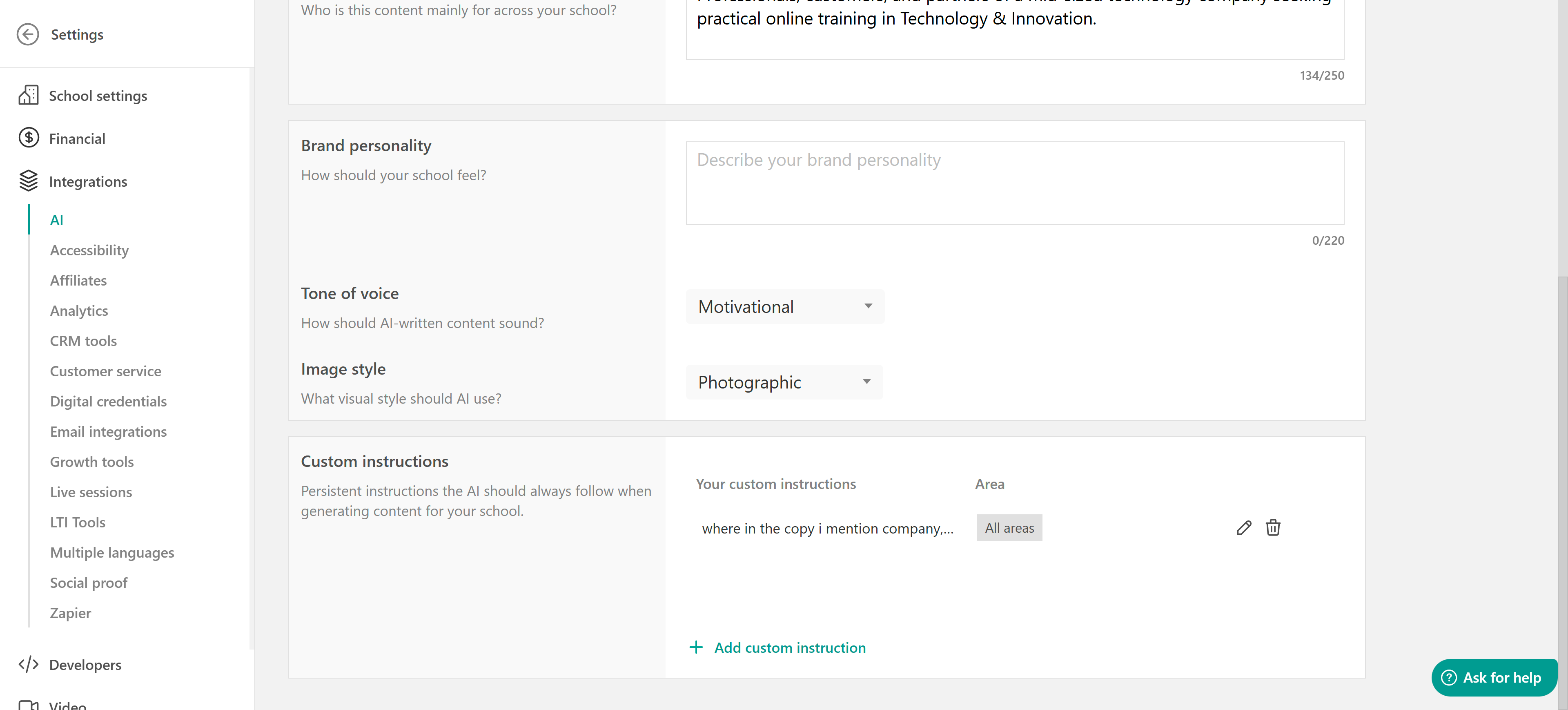
All instructions are saved and persistently applied based on your selected scope.