
The LearnWorlds Course Hub allows schools to license ready-made courses from verified creators and offer them to their learners. As a Buyer, you are billed based on the number of learners enrolled into licensed courses.
In this guide, you’ll learn how Buyer billing works, how billing cycles are calculated, how interim charges and grace periods apply, and what happens if a payment fails.
Setting up billing & payments
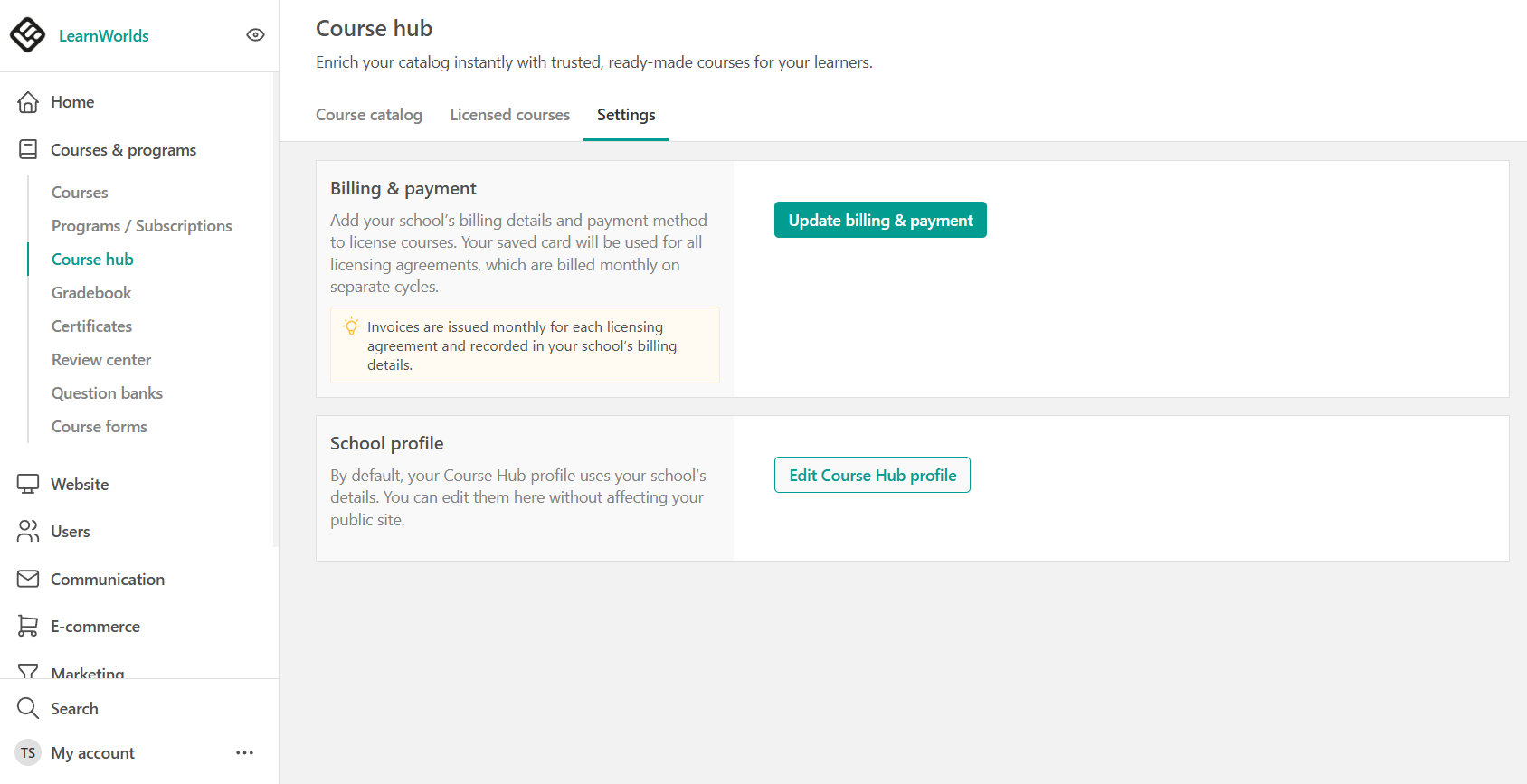
To license a course from the Course Hub, you must enter billing details and add a valid payment card. You can do this:
- In advance, through Courses & Programs → Course Hub → Settings, or
- During the licensing process
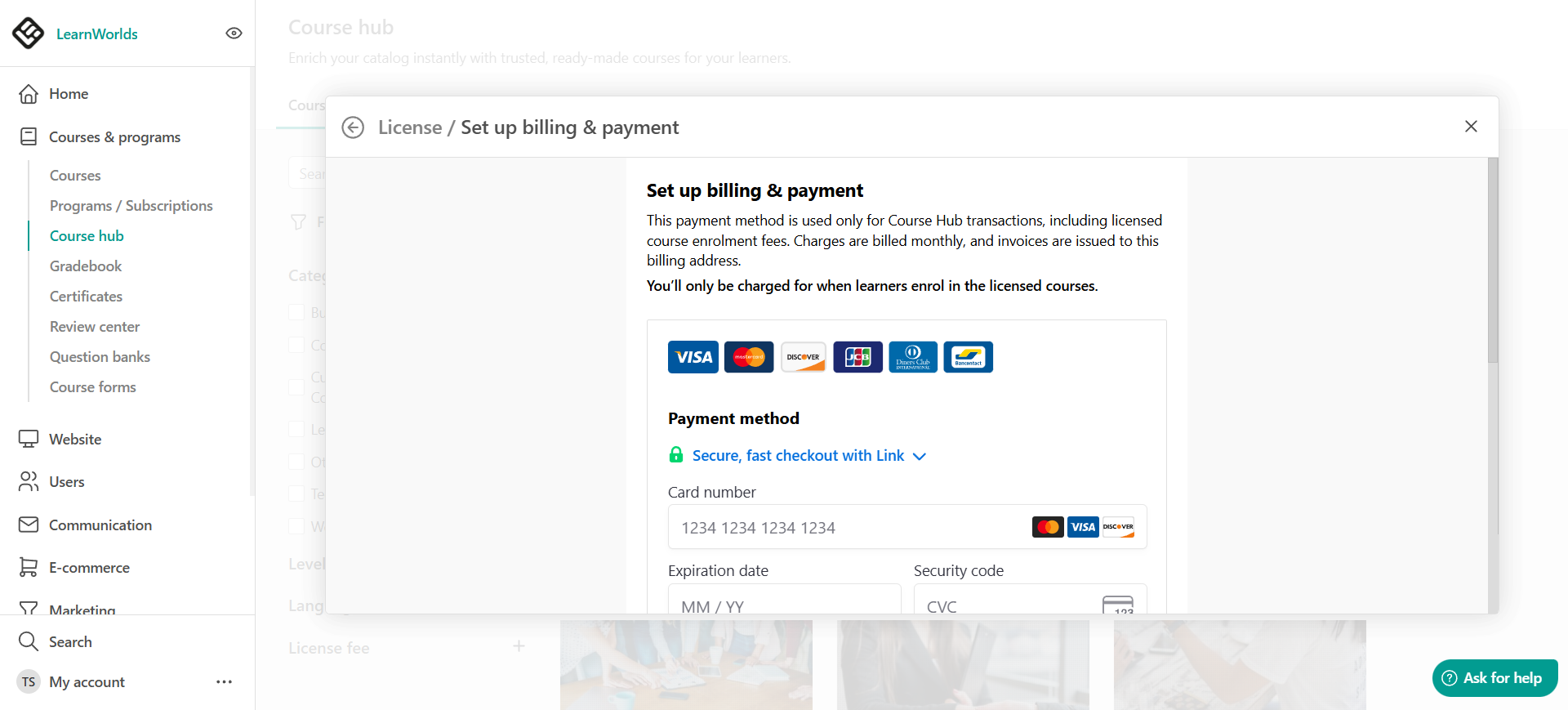

- No charges occur when you add your card. Buyers are charged only when they enroll learners into a licensed course.
- Each school can store one payment method, which is used for all Course Hub licensing agreements.
When buyers are charged
Buyers are charged only for billable enrollments.This means:
- Licensing a course does not immediately trigger a charge
- Charges are generated only when learners are enrolled into the licensed course
This applies regardless of how enrollments are created, including:
- Manual enrollments
- Bulk enrollments
- Automations
- API enrollments
- Enrollments through bundle offers.
Billing cycles for licensed courses
Each active licensing agreement has its own 30-day billing cycle, starting from the date the course is licensed. During each billing cycle:
- All billable enrollments for that specific course are tracked
- At the end of the cycle, Stripe automatically charges the Buyer for the total enrollment fees
Only enrollments created during the active billing period are included in that invoice.
If a licensing agreement expires, new enrollments are blocked, while existing enrolled learners retain access. Renewing the course creates a new licensing agreement.
ExampleIf a course costs $10 per enrollment and you create 31 billable enrollments during a billing cycle, you are charged:
$10 × 31 = $310
Grace period for enrollments
When a learner is enrolled in a licensed course, the enrollment is recorded but not immediately confirmed for billing.
Buyers can revoke an enrollment within 2 hours by unenrolling the learner. Enrollments removed within the grace period:
- are not included in billing
- do not appear in billing dashboards
After the 2-hour window, the enrollment becomes billable and will be included in the current or upcoming billing cycle.
Be cautious with manual enrollments. If the 2-hour grace period passes, the enrollment becomes billable.Interim charges (High-volume billing)
If enrollment fees exceed $1,000 during an active billing period, an interim charge is triggered automatically. This interim charge:
- Happens mid-cycle
- Does not reset or affect the 30-day billing schedule
- Helps prevent large outstanding balances
The regular billing cycle continues as normal after the interim charge.
Refund requests after the grace period
Once an enrollment becomes billable (after the 2-hour grace period), refunds are not automated. Any refund after that point:
- Depends on the Publisher’s approval
- Must be processed manually through Stripe by the Publisher
If you need help requesting a refund, you can contact LearnWorlds Support, and we may assist as a mediator. However, refunds remain at the Publisher’s discretion.
Failed payments & account restrictions
If a Buyer fails to pay a Course Hub invoice, their school is marked as a Course Hub non-paying customer, and restrictions are applied immediately. These restrictions may include:
- Blocking new enrollments into licensed courses
- Blocking new course licensing
- Disabling previewing and editing of course layout
Restrictions apply to all enrollment methods, including:
- Manual enrollments
- API enrollments
- Automations
To restore access the payment must be completed, and LearnWorlds must manually lift the restrictions.
- Billing for active licensing agreements may continue during the restriction period.
- If payment is not cleared within 15 days, further action may be taken.
- All Course Hub transactions are processed through Stripe.
- Buyers are billed based on enrollments, not based on how the course is sold to learners.
- Your own course pricing strategy (free, paid, bundle offers) does not affect what you owe the Publisher.
FAQ: For Buyers
- Do I get charged when I license a course?
No. Licensing a course does not trigger a charge. You are charged only when you enroll learners into the licensed course.
- Do I get charged if I offer the course for free?
Yes. Even if you offer the course for free to your learners, you are still charged the license fee for each enrollment you create in your school.
- Are enrollments through bundle offers billable?
Yes. Any enrollment created into a licensed course is billable, regardless of how the learner accessed it (direct purchase, bundle offer, automation, manual enrollment, API, etc.).
- Can I manually enroll learners?
Yes. However, manual enrollments are billable. Before confirming a manual enrollment, the system displays a warning message to remind you that the enrollment will incur a license fee.
- Is there a grace period for accidental enrollments?
Yes. You have a 2-hour grace period to unenroll a learner. If the learner is unenrolled within 2 hours, the enrollment will not be billed. After 2 hours, the enrollment becomes billable.
- Can I get a refund after the 2-hour grace period?
Refunds are not automatic. If the invoice has not yet been paid, the Publisher may approve removing the enrollment before billing occurs.
If the invoice has already been paid, a refund can only be issued with the Publisher’s approval and must be processed through Stripe. Stripe processing fees are not refundable.
- How often am I billed?
Each licensed course has its own 30-day billing cycle. At the end of each billing cycle, Stripe charges your saved payment method for the total number of billable enrollments created during that period.
- Why was I charged before the 30-day cycle ended?
If your enrollment fees exceed $1,000 within an active billing cycle, an interim charge is triggered automatically.
This helps prevent large outstanding balances. It does not reset your billing cycle.
- What happens if my payment fails?
If a payment fails:
- New enrollments into licensed courses are blocked
- New course licensing is blocked
- Course preview and layout editing may be disabled
To restore access, you must complete the payment and contact LearnWorlds so restrictions can be lifted.
If payment is not cleared within 15 days, further action may be taken.
- Can I see how much the Publisher earns from my sales?
No. Publishers only see:
- The number of enrollments
- The revenue generated based on their per-enrollment license fee
They do not see:
- Your selling price
- Your profit margins
- Your bundles or pricing strategy
- Can the Publisher change the license price during my active agreement?
No. If a Publisher updates the license fee, the new price does not affect your current active agreement. When renewing an eligible course, you can review the latest licensing terms before creating a new licensing agreement.
- What happens when the licensing agreement expires?
When the licensing agreement expires:
- You can no longer create new enrollments into the course
- The course remains in your Course Manager in a locked state
- Learners who are already enrolled keep access
- Learners only lose access if you manually unenroll them or if their enrollment expires based on your own course settings.
You can renew an eligible course from Course Hub. Renewal creates a new licensing agreement based on the latest licensing terms.