Submit a ticket My Tickets
Welcome
Login  Sign up
Open navigation

How to manage and add extra AI credits to your account

Availability
Starter
Pro Trainer
Learning Center
High Volume & Corporate

AI credits allow you to extend the use of LearnWorlds’ AI-powered course creation tools, including AI-generated quizzes, course outlines, and content assistance.


In this article, you will learn how to manage and add extra AI credits to your account. 


AI credits per plan

Every LearnWorlds plan includes a monthly allocation of free AI credits:

  • Starter: 300 credits/month
  • Pro Trainer: 500 credits/month
  • Learning Center: 1.000 credits/month
  • High Volume: Custom
These credits automatically renew at the start of each billing period, in line with your school’s subscription cycle. 

Track your AI usage

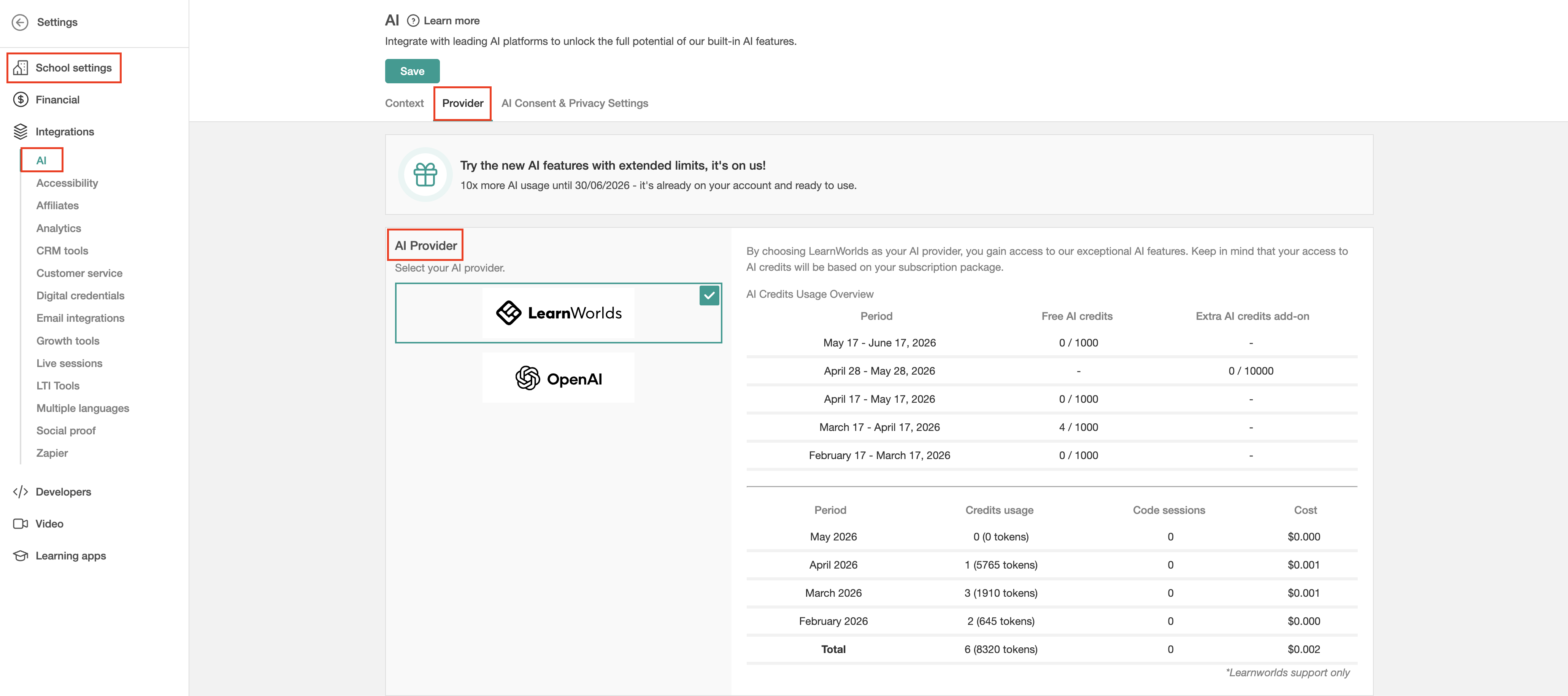
1. Navigate to SettingsIntegrations AI.

2. Click on Provider

3. In the AI Provider tab, you can monitor your free and additional AI credit usage.

Add extra AI credits

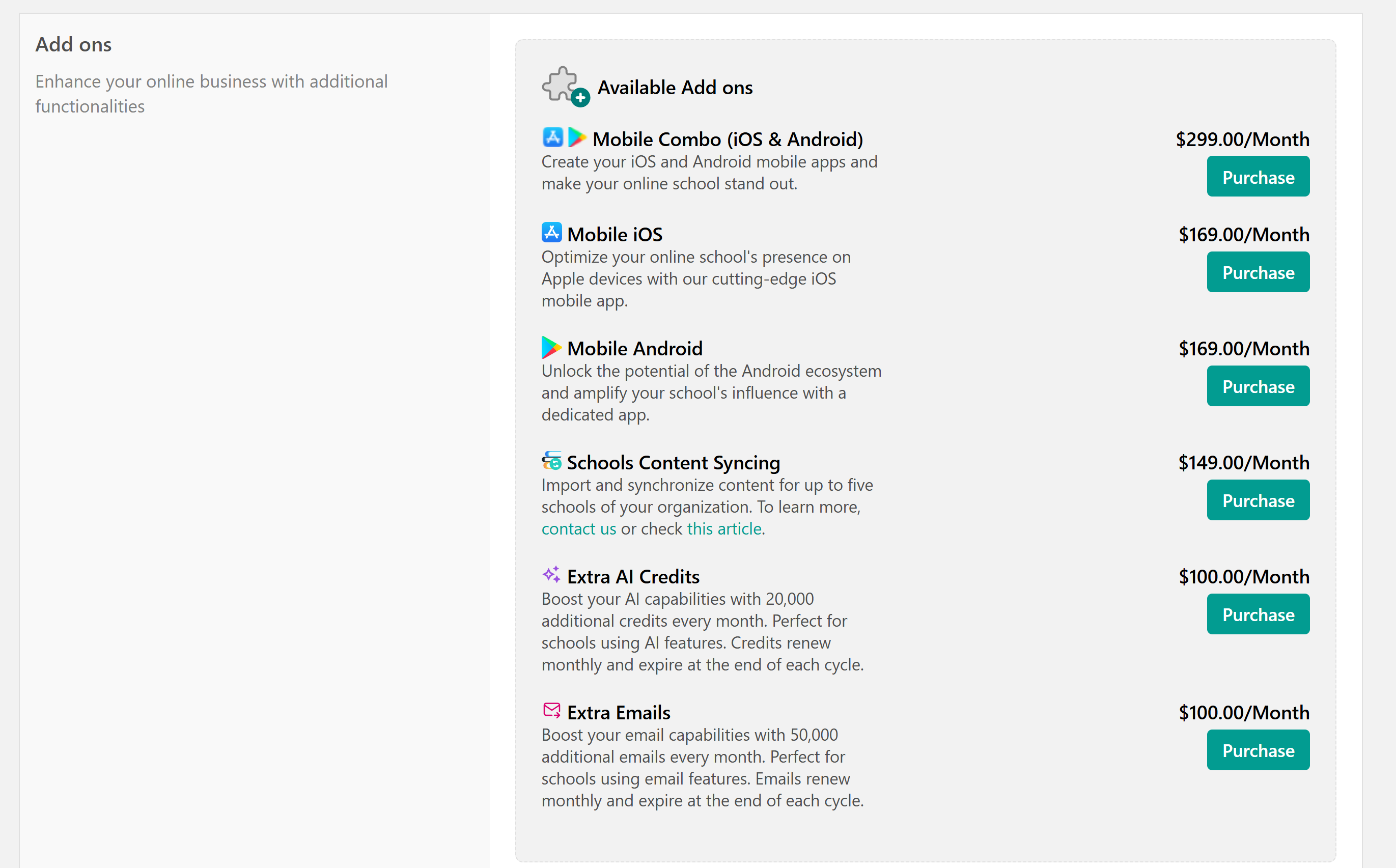
If you run out of your monthly AI credit quota, you can purchase the extra AI Credits Add-on directly from your dashboard.


Each add-on provides 20,000 additional AI credits per month and renews automatically according to your current billing cycle (monthly or yearly).


1. Navigate to My Account Account & Billing.

2. On the Extra AI Credits, click Purchase

Once purchased, the additional AI credits are added automatically within a few minutes. You can then view both your included and extra AI credits in the usage report.


AI credit exhaustion notifications

When you reach your AI credit limit, the system will let you know, and AI features (like quiz or course generators) will pause until new credits are available. Check how AI credit exhaustion impacts exams and assignments, and how LearnWorlds notifies admins, instructors, and learners here


  • Your extra AI Add-On renews automatically along with your main subscription.
  • If you cancel or downgrade your plan, the add-on and any remaining credits will also end immediately.
  • Credit balances reset each billing period; unused credits don’t roll over.
  • The add-on follows your base subscription’s billing cycle. For clients on a yearly plan, the add-on is billed annually (100 × 12 = $1,200). However, the credits are distributed monthly.

Did you find it helpful? Yes No

Send feedback
Sorry we couldn't be helpful. Help us improve this article with your feedback.